
Homeschool photo portfolio that files schoolwork by child and subject
Most of a homeschool portfolio is proof that the work happened. In Home Scholar, a photo taken at the table is that proof. One save files it under the right child and lesson, logs the time, and marks the lesson done.
Snap the work and say what it was
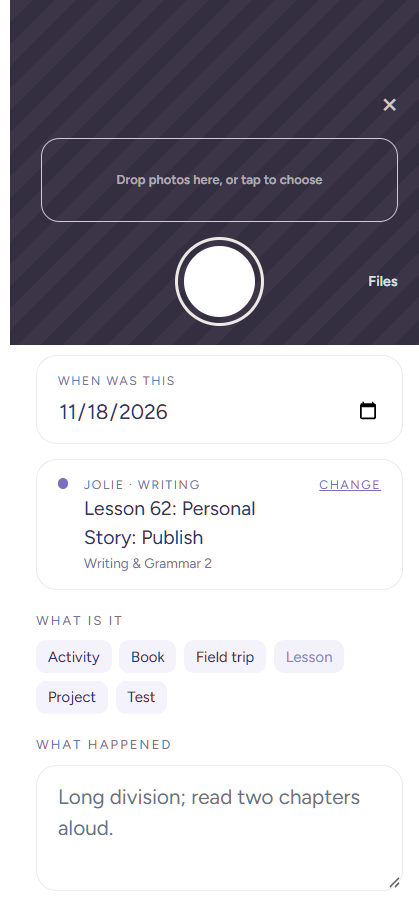
Take a photo, drop in a few at once, or upload a file. When you start from a lesson, the photo is already attached to it, so you can see whose work it is and which course it belongs to before you save.
Then say what it is: an activity, a book, a field trip, a lesson, a project or a test. Add a line about what happened if you like. That’s the part your evaluator reads later.
Filed under the right subject, with the time logged
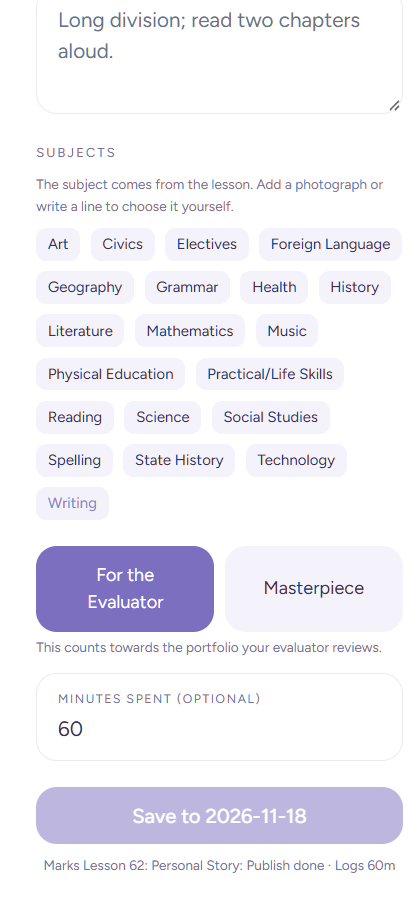
The subject comes from the lesson, or you can choose it yourself. It’s the subject your state counts, whatever you named the course.
Mark a photo For the Evaluator and it counts toward the portfolio your evaluator reviews. Mark it a Masterpiece and it’s always included when you build a packet. Add the minutes, and one save marks the lesson done and logs the time.
Each lesson keeps its own work
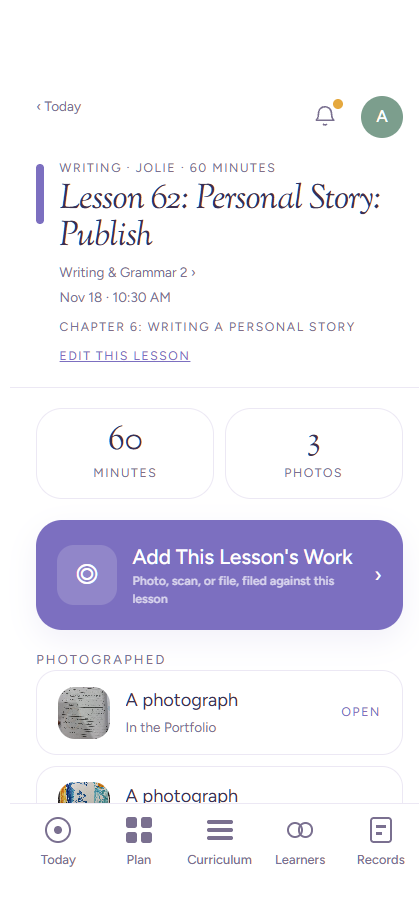
Open any lesson and you’ll see how long it took, how many photos are attached, and each photo with a note that it’s in the portfolio. You can add more work to a lesson later, which helps on the days the photos wait until bedtime.
Your portfolio, sorted by subject all year
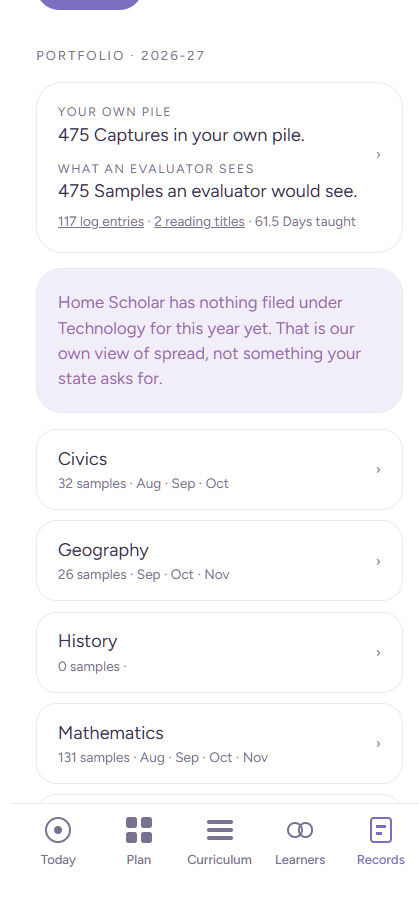
Records shows the whole portfolio for the year: how many photos you’ve captured, how many samples an evaluator would see, and the log entries, reading titles and days taught behind them. Each subject lists its samples and the months they came from.
If a subject has nothing filed yet, Home Scholar points it out, and is clear that this is its own view of balance rather than something your state requires.
Questions parents ask about the portfolio
How do I digitize my child’s schoolwork?
Photograph it at the table when the lesson is done. Home Scholar files the photo under the child, the lesson and the subject, so there’s no sorting a camera roll at the end of the year.
What kinds of work can I photograph?
Anything you want to keep as a record: worksheets, projects, books you read, field trips, tests and activities. You can also upload a file instead of taking a photo.
Can I add photos after the lesson?
Yes. Open the lesson any time and add its work. The date the work happened stays with it.
Does it work without an internet connection?
Yes. If there’s no signal, the photo waits on your phone and sends the next time you open the app online.
How do I choose what my evaluator sees?
Mark work For the Evaluator as you capture it. When it’s time, build a packet and choose how much to show, from just a taste to everything. Anything marked a Masterpiece is always included.
Try it with your own year
Add your kids and one course, and tomorrow has a plan. The 14-day free trial is the whole app, and no card is needed to start.
Start your 14-day free trialOr go back to everything Home Scholar does.