
Homeschool course builder for any curriculum, book or class
A workbook, a boxed program, an online class or a stack of library books can all become a course in your plan, with its lessons spread across the year and ready to tick off on Today.
Everything you teach, in one list
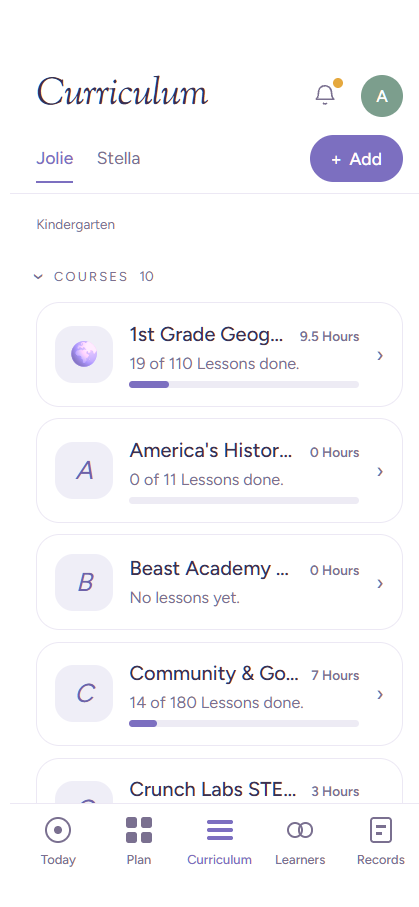
The Curriculum tab shows each child’s courses with the hours logged and how many lessons are done. Classes, events and the books on your reading shelf live here too.
When you add something, you choose what it is first: a course that runs over many lessons, a single lesson, a book you’ll teach chapter by chapter, an activity somebody else runs, or a book you’ve read just for the record. Each one is filed the way it should be.
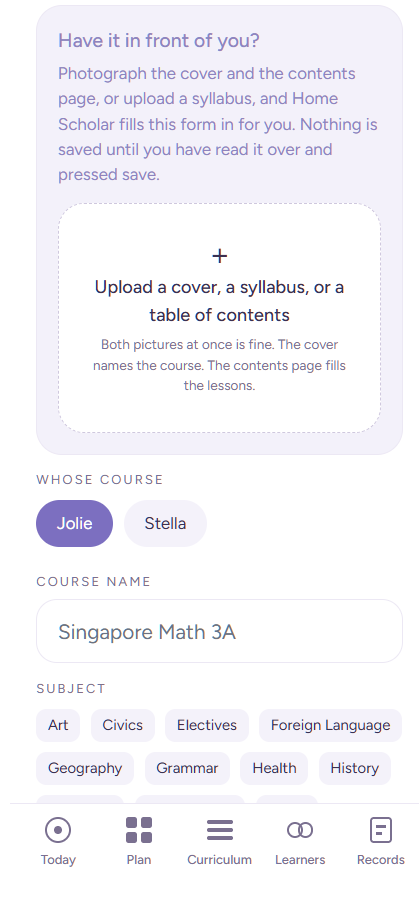
Let the book fill in the course
If you have the book in front of you, photograph the cover and the contents page, or upload a syllabus. The cover names the course and the contents page fills in the lessons.
Nothing is saved until you’ve read it over and pressed save, so you can fix a lesson name or drop a chapter you’re skipping first.
Set how often, or run it on a loop
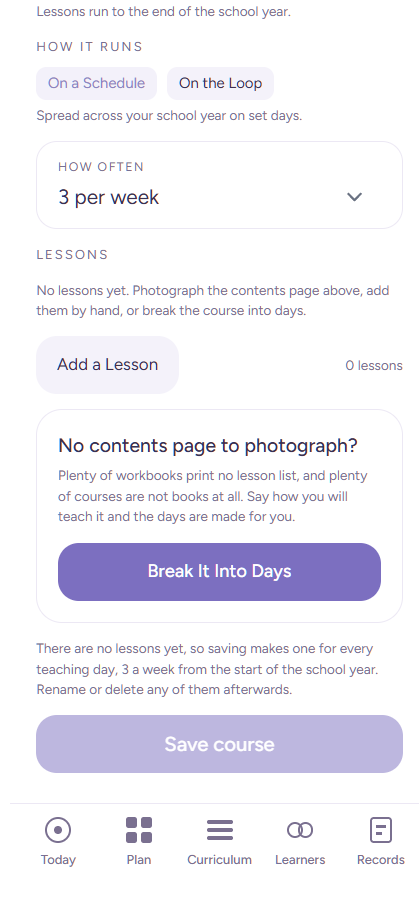
Run a course on a schedule, anywhere from once a month to every day of the week, or put it on the loop so it comes round on whichever days you choose, as many as you like, with no end date. Choose when it starts and ends, and give it a time of day if you want each lesson on your calendar as a real event.
Plenty of workbooks print no lesson list, and plenty of courses aren’t books at all. For those, Break It Into Days makes a lesson for every teaching day, and you can rename or delete any of them afterwards.
The whole course on one page
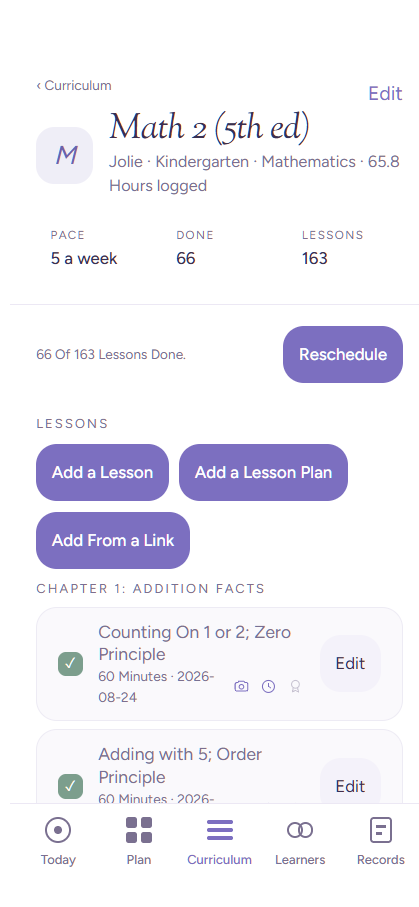
Open a course to see its pace, how many lessons are done, and every lesson by chapter with its date, photos, minutes and grade. Add a lesson by hand, from a lesson plan or from a link, or reschedule the whole course from here.
The pictures a course was read from are kept with it, so you can go back and check a page whenever you need to.
Questions parents ask about courses
How do I build a homeschool course?
Add a course, name it, choose the subject and how often it runs, then add the lessons. Photograph the contents page to fill them in, add them by hand, or break the course into teaching days.
Can I scan a table of contents?
Yes. Photograph the cover and the contents page together, or upload a syllabus, and Home Scholar fills in the course for you to check before saving.
What if my curriculum has no lesson list?
Use Break It Into Days. Home Scholar makes a lesson for every teaching day at the pace you choose, and you can rename them as you go.
Can I add co-op or online classes?
Yes. Add them as an activity. They show on the days they run and count toward the subject you choose.
Why does the subject matter?
The subject is what your state counts, whatever you called the course. It’s how the log and portfolio are sorted.
Try it with your own year
Add your kids and one course, and tomorrow has a plan. The 14-day free trial is the whole app, and no card is needed to start.
Start your 14-day free trialOr go back to everything Home Scholar does.