
What to look for in a homeschool digital planner.
By Ashley Zych, homeschool mom and founder of Home Scholar ·
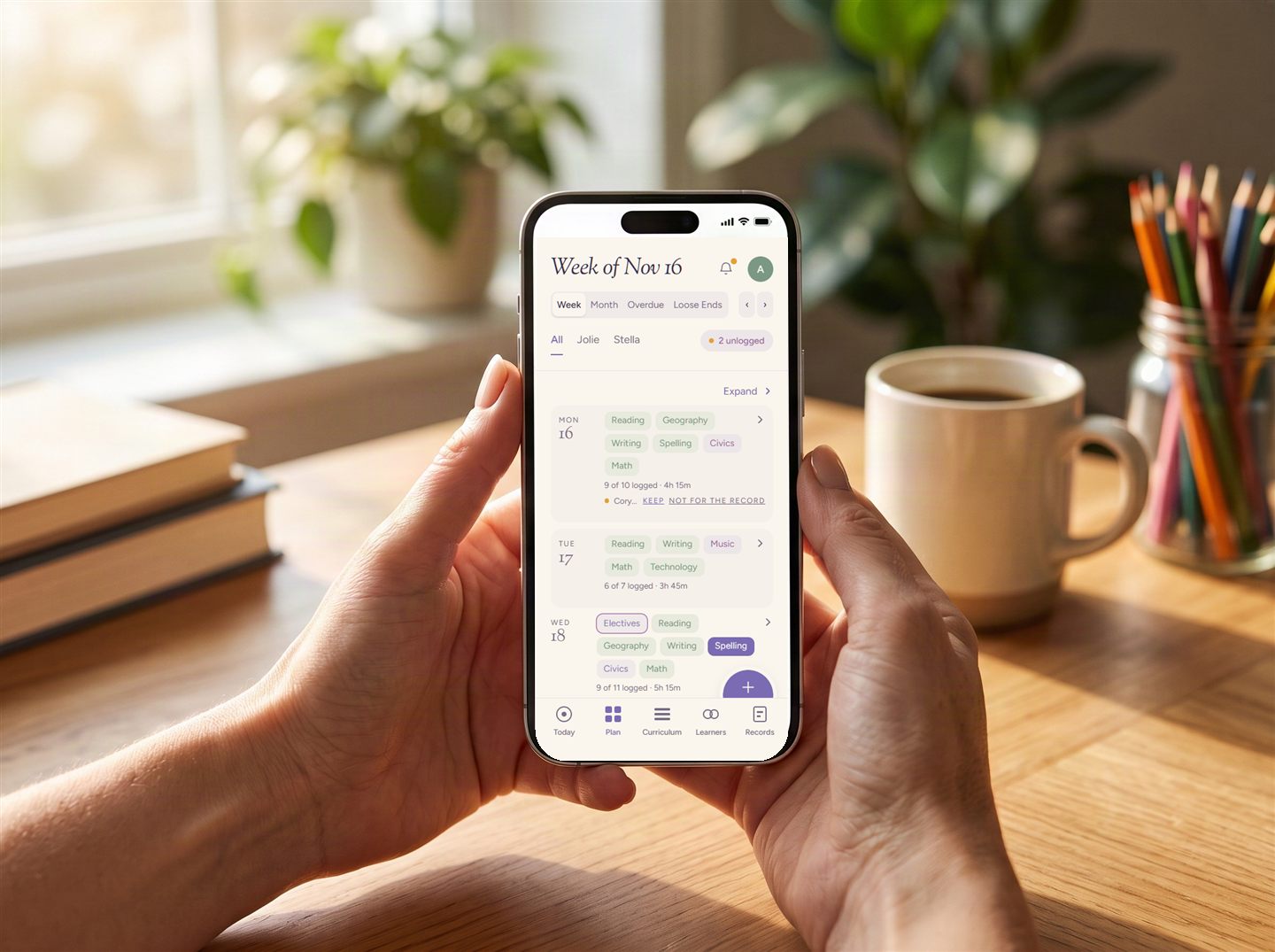
Before I built Home Scholar, I tried the homeschool planners that were already out there, one after another. Each one did part of the job. None of them did the part I needed most.
This is the list I wish I'd had when I started: what a homeschool digital planner actually needs to do, and how to tell whether the one you're looking at does it.
Paper planner or digital planner?
A paper planner is great right up until the first sick day. Then you're crossing out a week, rewriting the next one, and trying to remember on Friday what actually got done earlier in the week. And your planner is only half the job. In a state like Florida, you also need a log made at the time of the teaching and samples of the work, kept for two years. [1] On paper, that's a second system you keep by hand.
“If you are still planning on paper, switching sooner is better. You can still provide the logs done manually in addition to your digital log and samples, you will just minimize the work you have to do later.”
You don't have to wait for a new school year. Keep the paper log you already have for the months behind you, and start the digital one today.
What to look for in a homeschool digital planner
1. A plan that bends when the week does
This is the test most planners fail. Ask what happens when you take a day off. If the answer is "you move everything yourself," keep looking.
In Home Scholar, you take the day off and choose what happens to its work: push it back, fit it in, or skip it. When lessons run late, you pick how to catch up: push everything back, double up for a couple of weeks, spread it over dates you choose, or move it to next year. Every tool shows you what will move before anything moves. See how the lesson planner works.
2. It works with the curriculum you already own
Most of us teach from a mix: a math workbook, an online class, a co-op on Thursdays, a stack of library books. A good homeschool planner app takes all of it. You shouldn't have to buy a curriculum to use the planner.
Add lessons by hand or from a link, or photograph a table of contents or a lesson plan and Home Scholar drafts the course for you. You check every line before it's saved, then choose the pace and see the finish date.
3. The log fills in while you teach
If logging is a separate job you do at night, it's the first thing to slide. The work should get recorded at the moment it happens, by the same tap that checks it off.
Tick a lesson in Home Scholar and the minutes go into the log. Photograph a worksheet, choose the child and the lesson, and one save files the sample under the right subject, logs the time, and marks the lesson done. Out of signal range, the photo stays on your phone until you're online again. See how the photo portfolio works.
4. Records for your state, and nothing extra
Requirements vary by state. Florida, for example, sets no minimum days or hours at all. A planner that makes you count hours your state never asked for is just more busywork.
Home Scholar is built one state at a time, from the statute. Tell it your state and program and it asks only for what that program requires, with each deadline dated from your own filings and the statute shown beside it. Florida and Pennsylvania are ready today. Anywhere else, choose Just keep records and use everything but the deadlines. See how the compliance tracker works.
5. Ready for your evaluator
Whatever your evaluation looks like, the planner should hand it over without a weekend of printing and sorting. In Home Scholar you build a packet, choosing how much work to show, or send your evaluator a secure link that expires. They review the year and sign off, and you keep the signed PDF. If you're in Florida, here are the five ways to do the annual evaluation.
6. Room for the whole household
One planner should cover every child, not one subscription per kid. It should also cover the people who help. In Home Scholar, each child has their own courses, log and portfolio. A co-parent gets full access. A helper, like a grandparent or a nanny, can run the teaching day without ever seeing the records or the account. Chores and routines sit beside the lessons and are never part of the portfolio. And if your kids use it, they get a quiet screen of their own day, with no social features or streaks.
7. Your records leave with you
This one is easy to miss until you need it. Your child's records are yours. In Home Scholar you can build the portfolio packet and download your original files any time, whether or not you stay.
What a homeschool planner should cost
Look for one price for the household, with compliance included rather than sold as an add-on. Home Scholar has two plans, and both include everything above:
- Family, $15 a month: up to 5 learners. AI reading is included too: photograph a table of contents or a class schedule and it drafts the course for you to check.
-
Family Plus, $25 a month: up to 15 learners, and the advanced AI and data tools:
- Ask Home Scholar, typed or out loud. It answers from your own records, can suggest moving lessons (nothing moves until you tap Apply), and looks at photographs of the work.
- Connect your own AI assistant, like Claude or ChatGPT, to your family's records.
- More advanced views of your data.
- Priority support from our team.
The 14-day free trial is the full app, and no card is needed to start it. Log a real week before you decide. Compare the plans.
The short version
The best homeschool digital planner is the one that keeps up with your actual weeks. It bends when life happens, takes the curriculum you already have, and keeps the log and portfolio as you go, so the record is finished when the year is. And if a lesson keeps getting bumped along the way, that's normal. Here's what it's telling you.
Sources
- Fla. Stat. § 1002.41, Home education programs (2026), Online Sunshine, Florida Legislature.
Home Scholar plans your year and keeps the record as you go.
Start 14-day free trialHome Scholar is a records tool, not legal advice. We cite the law so you can check our reading, and you remain responsible for your program. If something here looks wrong, tell us.